

Unlocking Google Maps: How to Use AI Prompts for Location Searches :วิธีใช้ AI Prompt สำหรับการค้นหาสถานที่
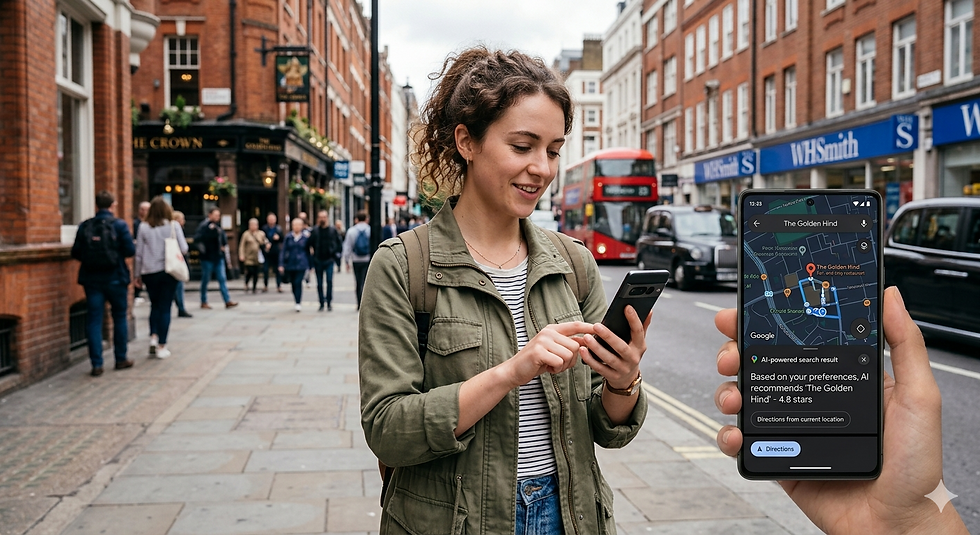
Finding a location on Google Maps has become a daily task for millions. Yet, many users still rely on typing exact addresses or place names, which can be limiting. What if you could describe a place in natural language and have Google Maps find it for you? Thanks to advances in artificial intelligence (AI), this is now possible. Using AI prompts to search locations on Google Maps can save time, improve accuracy, and open new ways to explore the world around you.
This post explains how to use AI prompts effectively for location searches on Google Maps. You will learn practical tips, examples, and tools that make your map searches smarter and more intuitive.
การค้นหาสถานที่บน Google Maps กลายเป็นกิจวัตรประจำวันสำหรับผู้คนนับล้าน แต่ผู้ใช้จำนวนมากยังคงพึ่งพาการพิมพ์ที่อยู่หรือชื่อสถานที่แบบตรงตัว ซึ่งอาจมีข้อจำกัด แล้วถ้าคุณสามารถอธิบายสถานที่ด้วยภาษาธรรมชาติและให้ Google Maps ค้นหาให้คุณได้ล่ะ? ด้วยความก้าวหน้าของปัญญาประดิษฐ์ (AI) สิ่งนี้จึงเป็นไปได้แล้ว การใช้คำแนะนำจาก AI ในการค้นหาสถานที่บน Google Maps สามารถประหยัดเวลา เพิ่มความแม่นยำ และเปิดโลกทัศน์ใหม่ๆ ในการสำรวจโลกที่อยู่รอบตัวคุณได้
บทความนี้จะอธิบายวิธีการใช้ AI Prompt อย่างมีประสิทธิภาพสำหรับการค้นหาสถานที่บน Google Maps คุณจะได้เรียนรู้เคล็ดลับ ตัวอย่าง และเครื่องมือต่างๆ ที่จะทำให้การค้นหาบนแผนที่ของคุณฉลาดและใช้งานง่ายยิ่งขึ้น
What Are AI Prompts for Location Searches? : อะไรคือ AI Prompt ที่ใช้ค้นหาสถานที่บนระบบ AI?
AI prompts are natural language inputs or questions you give to an AI-powered system to get specific results. When applied to Google Maps, AI prompts allow you to describe a location in everyday language instead of relying on exact names or addresses.
For example, instead of typing “1600 Amphitheatre Parkway, Mountain View,” you could say:
“Find the Google headquarters in California.”
“Show me the nearest coffee shop to Central Park.”
“Where is the tallest building in New York City?”
The AI interprets your prompt, understands the intent, and translates it into a location search on Google Maps. This approach is especially useful when you have partial information or want to explore based on descriptions.
AI Prompt คือข้อมูลป้อนเข้าหรือคำถามในภาษาธรรมชาติที่คุณป้อนให้กับระบบที่ขับเคลื่อนด้วย AI เพื่อให้ได้ผลลัพธ์ที่เฉพาะเจาะจง เมื่อนำไปใช้กับ Google Maps ข้อความ AI Prompt จะช่วยให้คุณอธิบายสถานที่ด้วยภาษาที่ใช้ในชีวิตประจำวันแทนที่จะต้องพึ่งพาชื่อหรือที่อยู่แบบเป๊ะๆ
ตัวอย่างเช่น แทนที่จะพิมพ์ “1600 Amphitheatre Parkway, Mountain View” คุณอาจพิมพ์ว่า:
“ค้นหาสำนักงานใหญ่ของ Google ในแคลิฟอร์เนีย”
“ช่วยบอกร้านกาแฟที่อยู่ใกล้เซ็นทรัลพาร์คที่สุดให้หน่อย”
“ตึกที่สูงที่สุดในนครนิวยอร์กอยู่ที่ไหน?”
AI จะตีความคำสั่งของคุณ เข้าใจเจตนา และแปลงเป็นผลการค้นหาสถานที่บน Google Maps วิธีนี้มีประโยชน์อย่างยิ่งเมื่อคุณมีข้อมูลไม่ครบถ้วน หรือต้องการสำรวจสถานที่โดยอิงจากคำอธิบาย
How AI Enhances Location Searches on Google Maps : AI ช่วยเพิ่มประสิทธิภาพการค้นหาสถานที่บน Google Maps ได้อย่างไร
Google Maps already uses AI in many ways, such as predicting traffic or suggesting routes. AI prompts take this further by enabling conversational and descriptive queries.
Here’s how AI improves location searches:
Context Understanding
AI can understand context clues in your prompt, like landmarks, nearby places, or categories. For example, “restaurants near the Eiffel Tower with outdoor seating” will return relevant results.
Handling Ambiguity
If your prompt is vague or has multiple possible matches, AI can ask clarifying questions or rank results by relevance.
Personalization
AI can tailor results based on your location history, preferences, or time of day, making searches more useful.
Multilingual Support
You can use prompts in different languages, and AI will interpret them correctly to find the location.
นี่คือวิธีที่ AI ช่วยปรับปรุงการค้นหาตามสถานที่:
ความเข้าใจบริบท
AI สามารถเข้าใจบริบทจากคำค้นหาของคุณได้ เช่น สถานที่สำคัญ สถานที่ใกล้เคียง หรือหมวดหมู่ ตัวอย่างเช่น “ร้านอาหารใกล้หอไอเฟลที่มีที่นั่งกลางแจ้ง” จะแสดงผลลัพธ์ที่เกี่ยวข้อง
การรับมือกับความคลุมเครือ
หากคำถามของคุณคลุมเครือหรือมีคำตอบที่ตรงกันหลายรายการ AI สามารถถามคำถามเพิ่มเติมเพื่อขอคำชี้แจง หรือจัดอันดับผลลัพธ์ตามความเกี่ยวข้องได้
การปรับแต่งเฉพาะบุคคล
AI สามารถปรับแต่งผลลัพธ์ตามประวัติสถานที่ ความชอบ หรือช่วงเวลาของวัน ทำให้การค้นหามีประโยชน์มากขึ้น
รองรับหลายภาษา
คุณสามารถใช้ข้อความในภาษาต่างๆ ได้ และ AI จะแปลข้อความเหล่านั้นอย่างถูกต้องเพื่อค้นหาตำแหน่ง
Tools and Platforms That Support AI Prompts for Google Maps : เครื่องมือและแพลตฟอร์มที่รองรับการแจ้งเตือน AI สำหรับ Google Maps
Several tools and platforms integrate AI prompts with Google Maps to enhance location searches:
Google Assistant
You can ask Google Assistant voice or text queries like “Where is the nearest gas station?” and it will show results on Google Maps.
Chatbots and Virtual Assistants
Some chatbots use AI to understand location requests and display Google Maps results within chat interfaces such as Chat GPT and Gemini.
Custom AI Applications
Developers can use Google Maps API combined with natural language processing (NLP) models to build apps that accept AI prompts for location searches.
Third-Party Apps
Apps like “MapGPT” or “AI Map Search” offer interfaces where you type or speak descriptive prompts to find places on Google Maps.
เครื่องมือและแพลตฟอร์มหลายอย่างได้ผสานรวมคำแนะนำจาก AI เข้ากับ Google Maps เพื่อเพิ่มประสิทธิภาพการค้นหาสถานที่:
Google Assistant
คุณสามารถถาม Google Assistant ด้วยเสียงหรือข้อความ เช่น “ปั๊มน้ำมันที่ใกล้ที่สุดอยู่ที่ไหน?” และมันจะแสดงผลลัพธ์บน Google Maps
แชทบอทและผู้ช่วยเสมือนจริง
แชทบอทบางตัวใช้ AI ในการทำความเข้าใจคำขอตำแหน่งที่ตั้งและแสดงผลลัพธ์จาก Google Maps ภายในอินเทอร์เฟซการแชท เช่น Chat GPT และ GEMINI
แอปพลิเคชัน AI แบบกำหนดเอง
นักพัฒนาสามารถใช้ Google Maps API ร่วมกับโมเดลการประมวลผลภาษาธรรมชาติ (NLP) เพื่อสร้างแอปที่ยอมรับข้อความแจ้งเตือนจาก AI สำหรับการค้นหาสถานที่ได้
แอปของบุคคลที่สาม
แอปอย่าง “MapGPT” หรือ “AI Map Search” มีอินเทอร์เฟซที่ให้คุณพิมพ์หรือพูดคำอธิบายเพื่อค้นหาสถานที่บน Google Maps
How to Craft Effective AI Prompts for Location Searches : วิธีสร้างAI Prompt ที่มีประสิทธิภาพสำหรับการค้นหาตามสถานที่
To get the best results, your AI prompts should be clear and descriptive. Here are some tips:
Use Specific Descriptions
Include landmarks, street names, neighborhoods, or categories.
Example: “Find Italian restaurants within 2 miles of Times Square.”
Mention Purpose or Features
If you want a place with certain features, say so.
Example: “Show me parks with playgrounds near downtown Seattle.”
Use Relative Locations
You can describe places relative to your current location or another point.
Example: “Locate the nearest pharmacy from my current location.”
Ask for Directions or Routes
AI can also help find routes based on your prompt.
Example: “How do I get from JFK Airport to Central Park by subway?”
Avoid Overly Complex or Ambiguous Queries
Keep prompts simple to avoid confusion.
เพื่อให้ได้ผลลัพธ์ที่ดีที่สุด ข้อความแจ้งเตือนของ AI ควรมีความชัดเจนและละเอียดถี่ถ้วน ต่อไปนี้เป็นเคล็ดลับบางประการ:
ใช้คำอธิบายที่เฉพาะเจาะจง
ระบุสถานที่สำคัญ ชื่อถนน ย่าน หรือหมวดหมู่ต่างๆ
ตัวอย่าง: “ค้นหาร้านอาหารอิตาเลียนที่อยู่ห่างจากไทม์สแควร์ไม่เกิน 2 ไมล์”
ระบุวัตถุประสงค์หรือคุณสมบัติ
ถ้าคุณต้องการสถานที่ที่มีคุณสมบัติเฉพาะเจาะจง โปรดแจ้งให้ทราบ
ตัวอย่าง: “ช่วยแสดงสวนสาธารณะที่มีสนามเด็กเล่นใกล้ใจกลางเมืองซีแอตเติลให้หน่อย”
ใช้ตำแหน่งสัมพัทธ์
คุณสามารถอธิบายสถานที่โดยอ้างอิงจากตำแหน่งปัจจุบันของคุณหรือจุดอื่นได้
ตัวอย่าง: “ค้นหาร้านขายยาที่ใกล้ที่สุดจากตำแหน่งปัจจุบันของฉัน”
สอบถามเส้นทางหรือแผนที่
AI ยังสามารถช่วยค้นหาเส้นทางตามคำสั่งของคุณได้อีกด้วย
ตัวอย่าง: “ฉันจะเดินทางจากสนามบิน JFK ไปยังเซ็นทรัลพาร์คโดยรถไฟใต้ดินได้อย่างไร?”
หลีกเลี่ยงการใช้คำสั่งค้นหาที่ซับซ้อนหรือคลุมเครือเกินไป
ควรใช้คำแนะนำที่เข้าใจง่ายเพื่อหลีกเลี่ยงความสับสน
Step-by-Step Example: Using AI Prompts with Google Assistant : ตัวอย่างทีละขั้นตอน: การใช้คำสั่ง AI กับ Google Assistant
Here’s a practical example of how to use AI prompts for location searches via Google Assistant on your smartphone:
Activate Google Assistant
Say “Hey Google” or press the Assistant button.
Speak or Type Your Prompt
For example, say “Find vegan restaurants near me open now.”
Review the Results
Google Assistant will show a list of vegan restaurants on Google Maps with ratings and hours.
Select a Location
Tap a restaurant to see details, reviews, and directions.
Ask Follow-up Questions
You can continue with prompts like “Show me the fastest route there.”
This interaction shows how AI prompts make location searches conversational and efficient.
ต่อไปนี้เป็นตัวอย่างการใช้งานจริงของคำแนะนำจาก AI สำหรับการค้นหาสถานที่ผ่าน Google Assistant บนสมาร์ทโฟนของคุณ:
เปิดใช้งาน Google Assistantพูดว่า “Hey Google” หรือกดปุ่มผู้ช่วย
พูดหรือพิมพ์ข้อความของคุณตัวอย่างเช่น ให้พูดว่า “ค้นหาร้านอาหารมังสวิรัติใกล้ฉันที่เปิดให้บริการอยู่ตอนนี้”
ตรวจสอบผลลัพธ์Google Assistant จะแสดงรายชื่อร้านอาหารมังสวิรัติบน Google Maps พร้อมคะแนนและเวลาทำการ
เลือกสถานที่แตะที่ร้านอาหารเพื่อดูรายละเอียด รีวิว และเส้นทาง
ถามคำถามเพิ่มเติมคุณสามารถดำเนินการต่อด้วยคำถามเพิ่มเติม เช่น “แสดงเส้นทางที่เร็วที่สุดไปที่นั่นให้ฉันดู”
ปฏิสัมพันธ์นี้แสดงให้เห็นว่าการแจ้งเตือนด้วย AI ทำให้การค้นหาสถานที่นั้นเป็นไปอย่างเป็นธรรมชาติและมีประสิทธิภาพ
!ภาพระดับสายตาของสมาร์ทโฟนที่แสดง Google Maps พร้อมการค้นหาสถานที่
Using AI Prompts in Google Maps Search Bar : การใช้คำแนะนำจาก AI ในแถบค้นหาของ Google Maps
Google Maps itself is improving its search bar to accept more natural language queries. You can try typing prompts like:
“Best sushi restaurants in San Francisco”
“Hotels near the beach in Miami”
“Gas stations open 24 hours near me”
Google Maps will interpret these prompts and display relevant results. This feature is handy when you want to explore options without knowing exact names.
Google Maps กำลังปรับปรุงแถบค้นหาให้รองรับการค้นหาด้วยภาษาธรรมชาติมากขึ้น คุณสามารถลองพิมพ์ข้อความต่างๆ เช่น:
“ร้านซูชิที่ดีที่สุดในซานฟรานซิสโก”
"โรงแรมใกล้ชายหาดในไมอามี"
“มีปั๊มน้ำมันที่เปิด 24 ชั่วโมงใกล้ๆ ฉันบ้างไหม”
Google Maps จะตีความข้อความเหล่านี้และแสดงผลลัพธ์ที่เกี่ยวข้อง คุณสมบัตินี้มีประโยชน์เมื่อคุณต้องการสำรวจตัวเลือกต่างๆ โดยไม่ต้องทราบชื่อที่แน่นอน
Benefits of Using AI Prompts for Location Searches : ประโยชน์ของการใช้ AI Prompt สำหรับการค้นหาสถานที่
Using AI prompts for Google Maps location searches offers several advantages:
Saves Time
No need to look up exact addresses or spell complicated names.
Improves Accuracy
AI understands context and intent, reducing irrelevant results.
Enhances Exploration
Discover places based on descriptions, features, or preferences.
Supports Accessibility
Voice prompts help users who have difficulty typing.
Adapts to Changing Needs
You can refine searches dynamically with follow-up prompts.
การใช้ AI ในการแนะนำการค้นหาสถานที่บน Google Maps มีข้อดีหลายประการ:
ประหยัดเวลา
ไม่จำเป็นต้องค้นหาที่อยู่แบบเป๊ะๆ หรือสะกดชื่อที่ซับซ้อนอีกต่อไป
ช่วยเพิ่มความแม่นยำ
AI เข้าใจบริบทและเจตนา จึงช่วยลดผลลัพธ์ที่ไม่เกี่ยวข้องลงได้
ช่วยเพิ่มประสิทธิภาพการสำรวจ
ค้นหาสถานที่ต่างๆ โดยใช้คำอธิบาย คุณสมบัติ หรือความชอบของคุณ
สนับสนุนการเข้าถึงได้ง่าย
ระบบแจ้งเตือนด้วยเสียงช่วยผู้ใช้ที่มีปัญหาในการพิมพ์
ปรับตัวให้เข้ากับความต้องการที่เปลี่ยนแปลงไป
คุณสามารถปรับแต่งการค้นหาแบบไดนามิกด้วยข้อความแจ้งเตือนเพิ่มเติมได้
Challenges and Limitations to Keep in Mind : ความท้าทายและข้อจำกัดที่ควรคำนึงถึง
While AI prompts are powerful, they have some limitations:
Dependence on AI Understanding
Misinterpretation of vague prompts can lead to wrong results.
Internet and Device Requirements
AI-powered searches need a stable connection and compatible devices.
Privacy Concerns
Location data and search history may be used to personalize results, raising privacy issues.
Language and Regional Differences
Some languages or regions may have less accurate AI support.
Being aware of these helps you use AI prompts effectively and safely.
แม้ว่าคำแนะนำจาก AI จะมีประสิทธิภาพ แต่ก็มีข้อจำกัดบางประการ:
การพึ่งพาความเข้าใจใน AI
การตีความคำถามที่ไม่ชัดเจนผิดพลาดอาจนำไปสู่ผลลัพธ์ที่ไม่ถูกต้อง
ข้อกำหนดด้านอินเทอร์เน็ตและอุปกรณ์
การค้นหาด้วยระบบ AI จำเป็นต้องมีการเชื่อมต่อที่เสถียรและอุปกรณ์ที่รองรับ
ข้อกังวลด้านความเป็นส่วนตัว
ข้อมูลตำแหน่งที่ตั้งและประวัติการค้นหาอาจถูกนำมาใช้เพื่อปรับแต่งผลการค้นหา ซึ่งก่อให้เกิดปัญหาด้านความเป็นส่วนตัว
ความแตกต่างทางภาษาและภูมิภาค
บางภาษาหรือบางภูมิภาคอาจมีการสนับสนุน AI ที่แม่นยำน้อยกว่า
การตระหนักถึงสิ่งเหล่านี้จะช่วยให้คุณใช้คำแนะนำจาก AI ได้อย่างมีประสิทธิภาพและปลอดภัย
Future Trends in AI and Location Searching : แนวโน้มในอนาคตของ AI และการค้นหาตามสถานที่
AI technology continues to evolve, promising even better location search experiences:
More Conversational Interfaces
Future assistants will handle multi-turn conversations for complex searches.
Integration with Augmented Reality (AR)
AI prompts could guide you visually through AR overlays on Google Maps.
Smarter Personalization
AI will learn your habits to suggest locations before you ask.
Cross-Platform Use
AI prompts may work seamlessly across devices, cars, wearables, and smart home systems.
Staying updated on these trends can help you make the most of AI in navigation.
Using AI prompts to find locations on Google Maps transforms how you interact with maps. It makes searching faster, more intuitive, and accessible. Whether you use voice assistants, chatbots, or Google Maps itself, mastering AI prompts opens new possibilities for exploring your surroundings.
เทคโนโลยี AI ยังคงพัฒนาอย่างต่อเนื่อง โดยสัญญาว่าจะมอบประสบการณ์การค้นหาสถานที่ที่ดียิ่งขึ้นไปอีก:
อินเทอร์เฟซการสนทนาที่มากขึ้น
ผู้ช่วยในอนาคตจะสามารถจัดการบทสนทนาหลายรอบสำหรับการค้นหาที่ซับซ้อนได้
การบูรณาการกับเทคโนโลยีความจริงเสริม (AR)
ระบบ AI สามารถแนะนำคุณด้วยภาพผ่านเลเยอร์ AR บน Google Maps ได้
การปรับแต่งส่วนบุคคลที่ชาญฉลาดกว่าเดิม
AI จะเรียนรู้พฤติกรรมของคุณเพื่อแนะนำสถานที่ต่างๆ ก่อนที่คุณจะถาม
การใช้งานข้ามแพลตฟอร์ม
ระบบแจ้งเตือนด้วย AI อาจทำงานได้อย่างราบรื่นในอุปกรณ์ต่างๆ ทั้งรถยนต์ อุปกรณ์สวมใส่ และระบบบ้านอัจฉริยะ
การติดตามข่าวสารเกี่ยวกับแนวโน้มเหล่านี้จะช่วยให้คุณใช้ประโยชน์จาก AI ในระบบนำทางได้อย่างเต็มที่
การใช้คำแนะนำจาก AI ในการค้นหาสถานที่บน Google Maps จะเปลี่ยนวิธีการใช้งานแผนที่ของคุณไปอย่างสิ้นเชิง ทำให้การค้นหารวดเร็ว ใช้งานง่าย และเข้าถึงได้มากขึ้น ไม่ว่าคุณจะใช้ผู้ช่วยเสียง แชทบอท หรือ Google Maps เอง การใช้คำแนะนำจาก AI อย่างเชี่ยวชาญจะเปิดโอกาสใหม่ๆ ในการสำรวจสภาพแวดล้อมของคุณ
By Varainvis Manoonkulchai
Google Maps Marketing Expert
G-Viral Digital Marketing Co., Ltd.


Comments